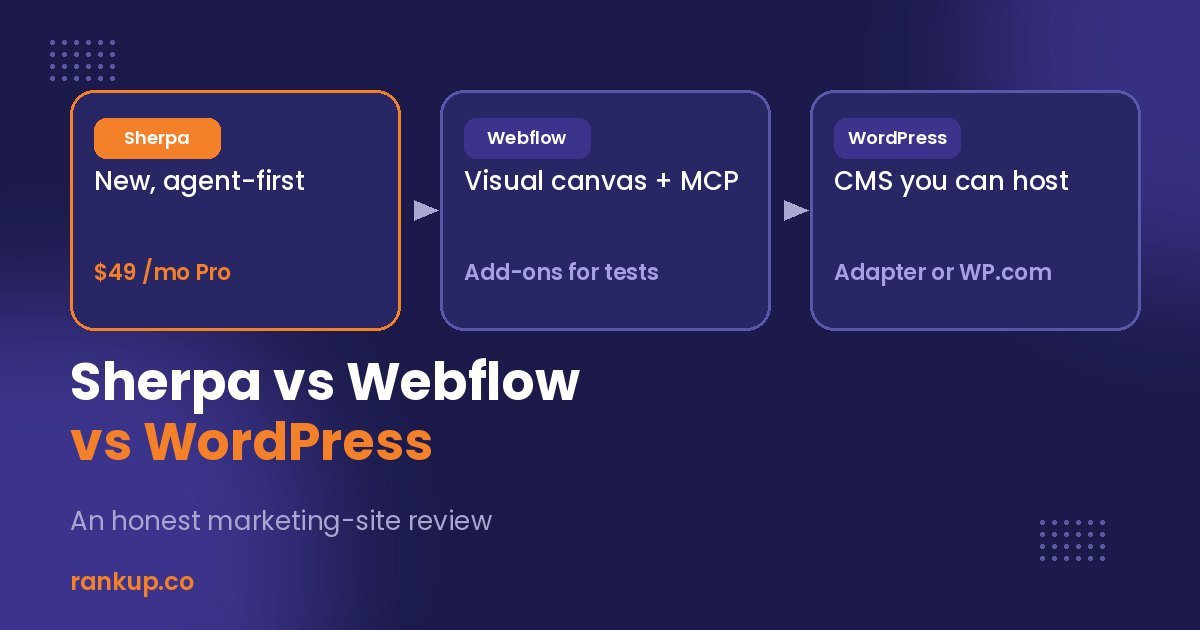
Sherpa is a new website platform that lets a marketing team build, edit and improve a site from Claude, ChatGPT or Slack. Webflow and WordPress are the tools most of those teams already use. This review compares the three for a marketing website, using each company’s own documentation and pricing as of 26 November 2026.
It is not a claim that one tool fits every business. Local service companies, online stores and long-running content sites have different needs than a SaaS marketing site. Rankup works across those jobs, including AI consulting and SEO and organic growth, so we care about what you can verify before anyone migrates a live domain.
What Sherpa is
Sherpa describes itself as a way to move a marketing website into custom code you own, then run that site from the AI tools the team already pays for. It was founded in 2026, is in Y Combinator’s Spring 2026 batch, and lists a two-person team in San Francisco on its Y Combinator company page.
Sherpa’s site and pricing page agree on the basics. Sherpa hosts the site and syncs the code to GitHub so the customer owns the code. The stack it talks about is custom Astro, not a rented theme. Edits can be made from Claude, ChatGPT, Codex, Devin or Slack, and Sherpa does not sell AI credits: you bring the subscription you already have. Changes get a preview, and Sherpa says nothing goes live until someone on the team hits Publish.
Pricing, checked on 26 November 2026, is:
- Pro: $49 a month, or $39 a month billed annually, for one website and five team seats. This includes hosting, GitHub sync, forms, human and agent analytics, team previews, a self-serve migration, 500 GB of bandwidth a month, and up to five CMS collections.
- Growth: $299 a month, or $239 a month billed annually, for one website and unlimited seats. This adds a done-for-you migration with redirects, weekly proactive improvements, A/B testing that Sherpa says runs at the edge with no flicker, unlimited CMS collections, role-based publishing, and 3 TB of bandwidth a month.
- Scale: custom pricing for several websites, with expert support, a dedicated Slack channel, onboarding, and migration of scripts and forms.
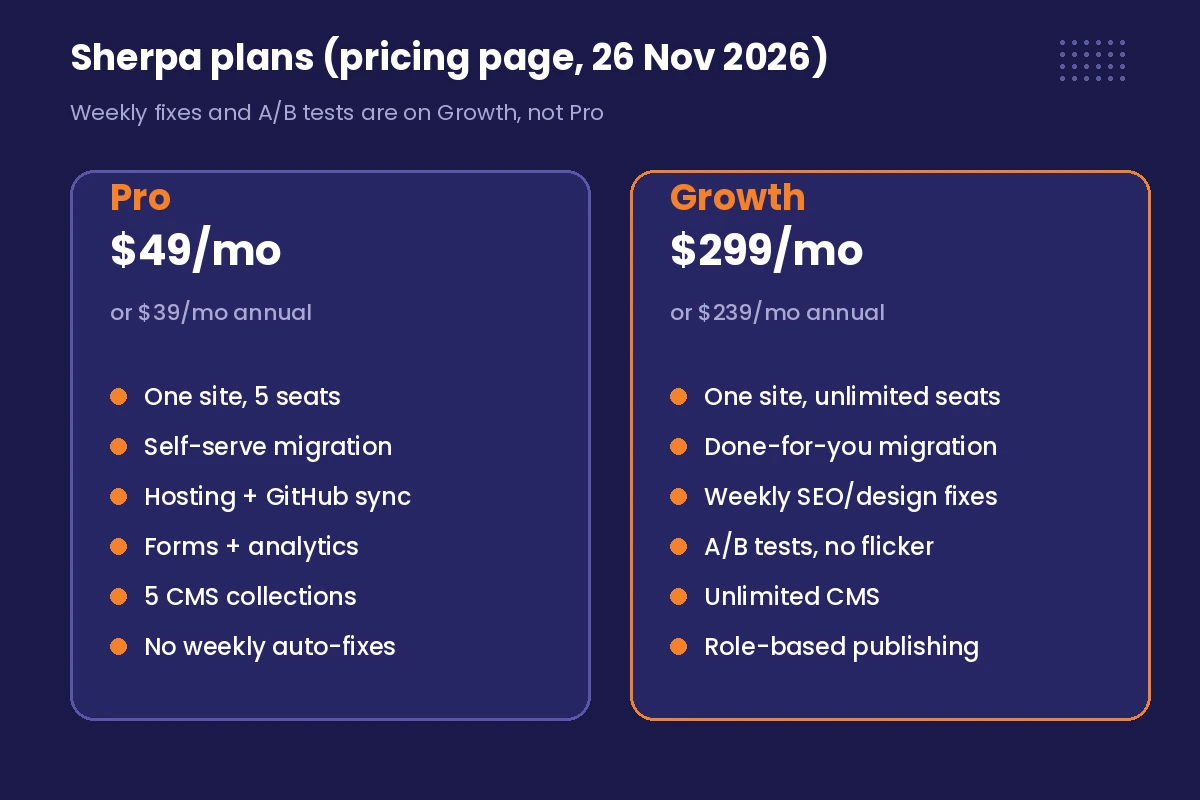
Weekly design, SEO and performance suggestions, and those A/B tests, are Growth features. They are not on Pro. That matters if the “the site improves itself” pitch is why you are looking.
Sherpa also publishes customer results. On Y Combinator’s launch page it says Lindy’s team shipped 40 website experiments in 30 days and that “total site conversion is up 30%.” In a 24 November 2026 comparison post, Sherpa’s co-founder writes that Lindy’s mobile Lighthouse score went from 50 to over 90 the night it moved off Webflow. Those figures come from Sherpa, not from a test we ran.
What Webflow is, including its official MCP
Webflow is a mature visual website platform. Teams design in the Webflow canvas, store content in a CMS, and host on Webflow. For a design-led marketing site, that combination is why so many companies already live there.
Webflow also has an official Model Context Protocol server, so an agent in Claude or ChatGPT can work on a project in natural language. Webflow’s own docs, not a competitor’s blog, are the right source for what that agent can do.
According to that overview, an authorized agent can build and edit layouts, styles, components and GSAP-based interactions; manage CMS items, pages, assets and SEO fields; read and add comments; audit broken links and missing alt text; and read forms, list submissions, and update or delete them. The agent works inside the same permissions as the signed-in user, and changes appear in the site activity log.
The limits are documented too. The MCP server cannot create a new website project. Some jobs still need the Designer open with Webflow’s Bridge App connected, including visual snapshots, image uploads, and reading the current selection or breakpoint. Page branches need an Enterprise plan. Analytics, experiment results and AI-visibility data sit on paid add-ons: Webflow Analyze, Optimize and AEO. The docs describe reading Optimize results, not creating a new test from the agent.
Webflow remains a strong choice when a designer wants a real visual canvas, or when the brand system already lives there. The official MCP is broader than “it can only edit CMS items.” It is also not a complete, add-on-free replacement for a person in the Designer.
What WordPress is, including its official MCP options
WordPress is still the default for a lot of marketing sites, content libraries and stores, including sites we work on at Rankup. You can self-host it, you can take the content with you, and the plugin ecosystem covers jobs a marketing-site builder often leaves to a third-party tool: ecommerce, membership, multilingual sites, forms and SEO plugins.
There are two official ways for an AI agent to connect. On WordPress.com’s MCP documentation, one server reaches every site on the account, including self-hosted sites connected with Jetpack. The tools reference and capabilities list cover posts, pages, media, site editing and more. WordPress.com says MCP access is included on all plans, including Free, and that Jetpack-connected self-hosted sites can use it through 30 November 2026 with no Jetpack plan required. After that date, check the current docs. Write and delete actions can require user confirmation, which is a real safeguard if those settings stay on.
Self-hosted WordPress without that path uses the official MCP Adapter plugin from WordPress.org, last updated 19 November 2026 when we checked. The plugin’s own description is the important part: it is a server and transport layer. It does not add AI features by itself. It exposes WordPress “abilities” that core or other plugins have registered, and exposure is opt-in. If the site has not registered content abilities, a connected agent may be able to do very little. That is the opposite of Sherpa’s model, where the platform is built so an agent can run the marketing site.
WordPress is still the better fit when you need plugins, WooCommerce, a large editorial archive, or a team that already knows wp-admin. Speed, security and agent permissions still depend on how the site was built and hosted.
How the three compare on a marketing site
This is the comparison we can stand behind from official sources, without treating a vendor’s win/loss table as fact.
| Sherpa | Webflow | WordPress | |
|---|---|---|---|
| What it is | New marketing-site platform with managed hosting and code you own in GitHub | Visual site builder and hosting platform with a large design ecosystem | Open CMS you can self-host or run on WordPress.com |
| Agent access | Built to be run from Claude, ChatGPT, Slack and other MCP agents | Official MCP server, with some jobs needing the Designer and Bridge App | Official WordPress.com MCP, or the MCP Adapter plugin on self-hosted sites |
| Code and exit | You own the code, per Sherpa; the live site is still hosted by Sherpa | You work inside Webflow’s system; confirm current export docs before you need an exit | Self-hosted WordPress: you own the files and database. WordPress.com is more plan-dependent |
| Weekly unsolicited fixes and A/B tests | Yes, on Growth ($299/month, or $239/month annual) | Analyze, Optimize and AEO are paid add-ons; the MCP reads Optimize results rather than creating tests | Not built into the platform; depends on plugins and the people running them |
| Starting price, 26 Nov 2026 | Pro $49/month ($39/month annual) for one site | Varies by Webflow site plan, plus add-ons | The software is free; hosting and plans vary |
| Best default use | A marketing site a team wants to edit from an AI chat, with a human still publishing | A design-led marketing site, especially if the team already works in Webflow | Content-heavy sites, stores, and teams that need plugins and a portable stack |
Sherpa’s 24 November 2026 MCP comparison is a useful snapshot of what Sherpa believes its competitors’ agents can do, but it is a vendor post. Where Webflow or WordPress publish their own tool lists, those lists should win. And “you own the code” is not the same as “leaving will be free of work.” On Sherpa you would be moving a hosted Astro site. On Webflow you may be rebuilding. On WordPress, a move is usually files, a database and redirects: familiar, not effortless.
Who should pick which one
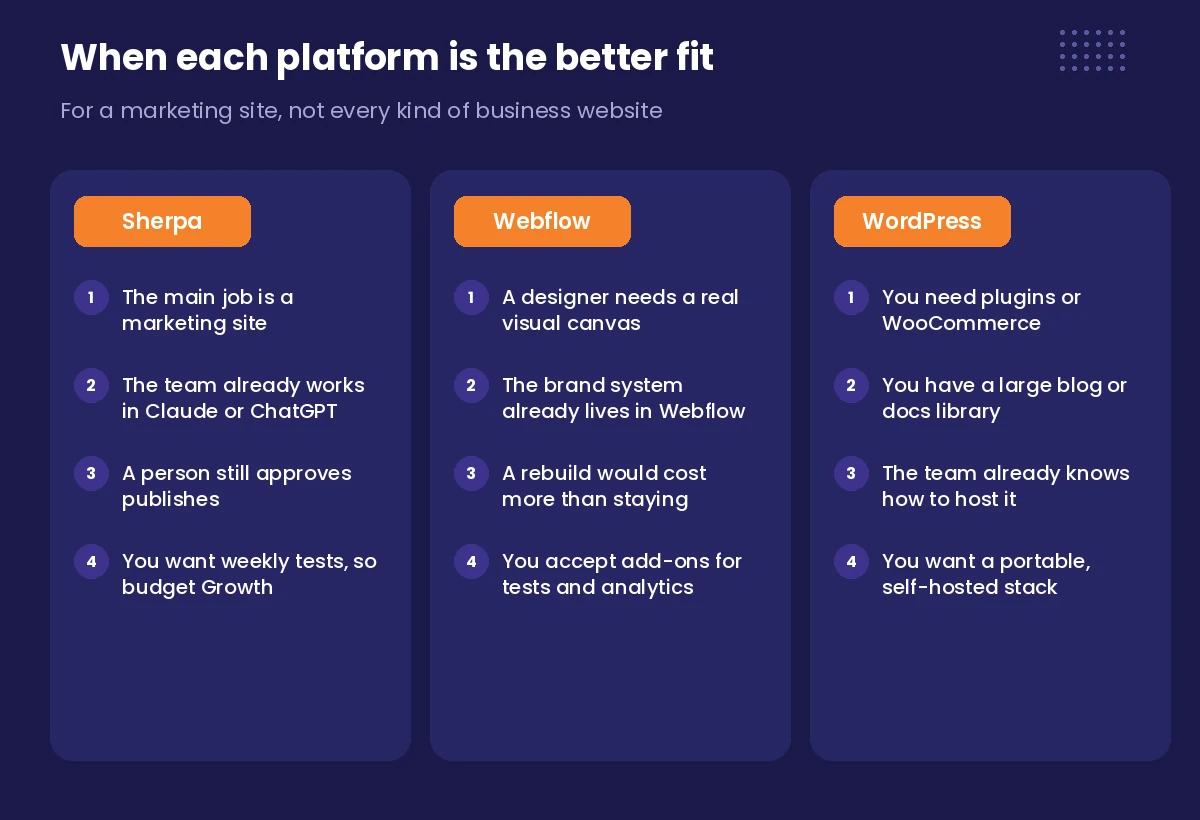
Pick Sherpa if the main job is a marketing website, the team already works in Claude or ChatGPT, and you want a human to approve publishes while an agent does more of the drafting, testing and housekeeping. Budget for Growth if the weekly suggestions and A/B tests are the reason you are switching. Because the company is new and small, ask what happens to hosting and support if you need to leave.
Pick Webflow if a designer needs a first-class canvas, the brand system already lives in Webflow, or the cost of a rebuild is higher than teaching an agent to work inside Webflow’s rules. Be honest about Enterprise-only features and paid add-ons before you compare it with Sherpa’s Growth plan.
Pick WordPress if you need the plugin ecosystem, ecommerce, a large blog, or a stack your team already knows how to host and debug. Use WordPress.com’s MCP where it fits, or install the official Adapter and only expose the abilities you are willing to let an agent touch. Do not expect the Adapter alone to design a marketing homepage the way Sherpa or Webflow’s visual tools can.
For many Rankup clients, especially local service businesses, the website is only one part of discovery. Reviews and how AI tools talk about the brand still matter, which is why we wrote why ChatGPT skips some well-ranked local businesses. A new marketing site will not fix that on its own.
How we would test Sherpa on a real site
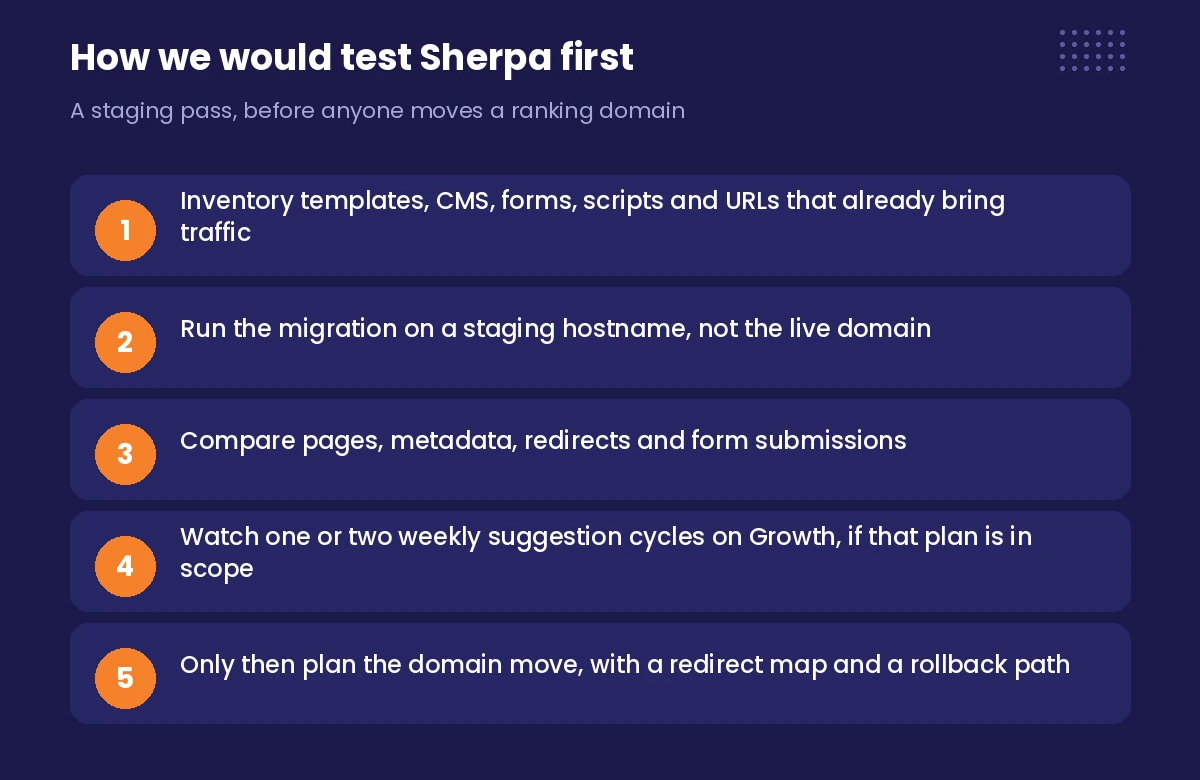
If a team asked us to look at Sherpa next to a current Webflow or WordPress marketing site, we would not start with a full cutover. We would inventory the current templates, CMS, forms, scripts and ranking URLs; run a Sherpa migration on a staging hostname; compare pages, metadata, redirects and form submissions; watch one or two weekly suggestion cycles on Growth, if that plan is in scope; and only then plan a domain move with a redirect map and a rollback path.
If you want a second pair of eyes on that decision, or on the AI workflows around the site, start with our AI consulting service or book a call.
Frequently asked questions
What is Sherpa, and who is it for?
Sherpa is a 2026 website platform that hosts a marketing site, gives you the code in GitHub, and lets the team edit it from Claude, ChatGPT or Slack. It is aimed at marketing teams that want an agent to help with pages, tests and routine improvements, with a person still publishing changes.
How much does Sherpa cost?
As of 26 November 2026, Sherpa lists Pro at $49 a month ($39 a month billed annually) for one site and five seats, and Growth at $299 a month ($239 a month billed annually) with a done-for-you migration, weekly proactive improvements and A/B testing. Scale is custom priced.
Can an AI agent already edit a Webflow or WordPress site?
Yes. Webflow has an official MCP server that can design, manage CMS content and update SEO fields, with limits and paid add-ons documented by Webflow. WordPress.com has an official MCP server, and self-hosted WordPress can use the official MCP Adapter plugin, which only exposes abilities the site has registered and marked public.
Does Sherpa replace WordPress for every kind of site?
No. Sherpa is built around marketing websites. WordPress is still the more practical choice when you need plugins, WooCommerce, a large editorial archive, or a self-hosted stack you already know how to run. Compare the jobs your site has to do, not just the agent demo.
Should we migrate a ranking site to Sherpa this week?
Not as a first step. Test the migration on a staging hostname, confirm redirects, forms and metadata, and read a couple of weekly suggestion cycles before you touch the live domain. A move can wait a week; a broken redirect map costs more than that.